


Leopard Print Birthday Invitation Website Template 01 | Canva Digital Evite with RSVP
18,00€
Description
Bold, personal and effortless — your milestone birthday deserves it.
A modern, editorial-style event website with clean layouts, glam leopard details and a polished aesthetic that makes your birthday feel special before it even begins.
See the live demo — preview the template before you buy.
What's included
- Editorial layouts with glam leopard accents throughout
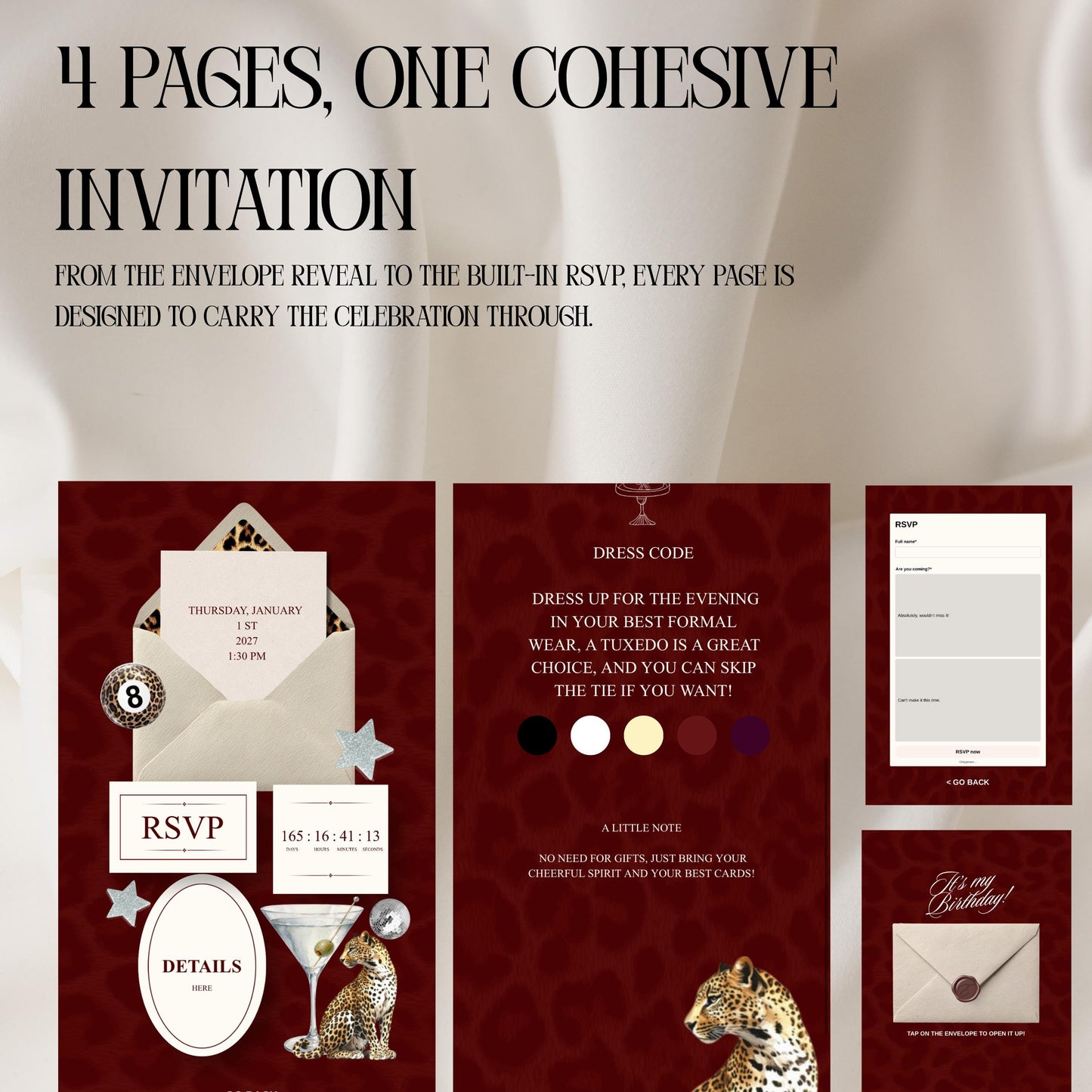
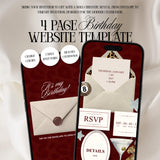
- Multiple designed website pages — invitation, event details, RSVP and countdown — all ready to use
- Built-in RSVP form — guest replies are recorded automatically and exportable from Canva
- Live countdown timer — set it to your date and it runs on its own
- 100% editable in Canva — free account, no design skills, no code
- Mobile-friendly — share a single link by WhatsApp, SMS or email
- Instant digital download — no physical item is shipped, nothing to print
How it works
- Download the PDF from your account after purchase.
- Open it and click the access link — the template opens in Canva.
- Edit the text, colours and photos for your event.
- Publish and share your link with your guests.
How does the RSVP work?
The template includes a built-in Canva RSVP form. Guests submit their response directly on your site, and you can view or export the list at any time — no spreadsheet, no chasing.
Perfect for
21st and 30th birthdays, milestone celebrations, glam parties and anyone drawn to animal print.
Please note
This is a digital template, not a physical product. A free Canva account is required. Colours may vary slightly between screens.
How it works
-
Buy and get instant access
Your template link is emailed the moment your payment goes through.
-
Open it in Canva
One click copies the design into your own free Canva account.
-
Make it yours
Swap the names, dates, photos and colours, then set up your RSVP form.
-
Publish and share
Publish with a free Canva domain and send the link to your guests.
What our customers say
-
Instant download and super easy to edit in Canva. The template looked stunning both sent digitally via WhatsApp and printed at home!
-
Saved us hundreds of dollars! The digital file was available immediately after purchase, and customizing the text took less than ten minutes.
-
Elegant design and high-resolution quality. We emailed the digital invites to our guests and received so many compliments on the modern look.
-
The perfect digital solution for our destination wedding. The RSVP link feature integrated seamlessly into the electronic file.
-
Instant access and extremely user-friendly. Editing the party details was a breeze, and the digital graphics stay sharp on every device.
-
Turned a last-minute party planning emergency into a success. Downloaded, edited, and sent electronically within 15 minutes!
-
Great digital template. Easy to personalize, though I had to tweak the mobile display settings slightly. Overall, a fantastic purchase!
-
The cutest digital baby shower invite! Downloaded instantly and edited without any issues. Sent it via email to our family and friends.
Frequently asked questions
What exactly can I change?
Everything. Names, dates, wording, colours and photos — but also the fonts, and you can add pages that aren't in the original design.
Do I need a paid Canva account?
No. A free Canva account is all you need to open the template, edit it, publish it and export your guest list.
What do I need besides Canva?
Nothing. The template opens in Canva and everything happens there — no other software, no code, no design skills.
Where do my guests' replies land?
Straight into Canva. You'll see them as they come in, and you can export the list whenever you like — no paid account required.
Is there a limit on how many replies I can receive?
No limit at all. Invite ten guests or three hundred, every reply is recorded.
How do I send the website to my guests?
Publish it with a free Canva address, then share that single link by WhatsApp, SMS or email.
Can I remove a page I don't need?
Yes. Delete any page you won't use, or duplicate one you want twice — the design stays intact either way.
Can I add a page that isn't in the template?
Yes, you can add as many as you like and match them to the existing design.
Can I have it in another language?
Yes — the text is yours to rewrite in any language. Several of the wedding designs already come with an English and a French version, guide included.
Can I print these designs?
Yes. Download your design as a PDF and print it at home or through a print shop, alongside the digital version.
How long do I keep access?
Indefinitely. Your link never expires — come back months later, from any device, and your template will be waiting.
Can I use it for a second event?
Yes, as long as both events are your own. What isn't allowed is reselling the template, sharing the file or passing it on.
What if my download email never arrives?
Check your spam folder first. Still nothing? Message me and I'll send it straight over — Shopify support can resend it too.
How quickly do you reply?
Within 24 hours, by email. Help setting your template up is included with every purchase.
Do you offer refunds?
All sales are final. Your template is delivered instantly, so by completing your order you agree to immediate delivery and waive the 14-day withdrawal period that applies to digital content.
If anything is wrong with your file, message me — I'll always put it right.